OBJ Emoji: What It Means and How to Fix It
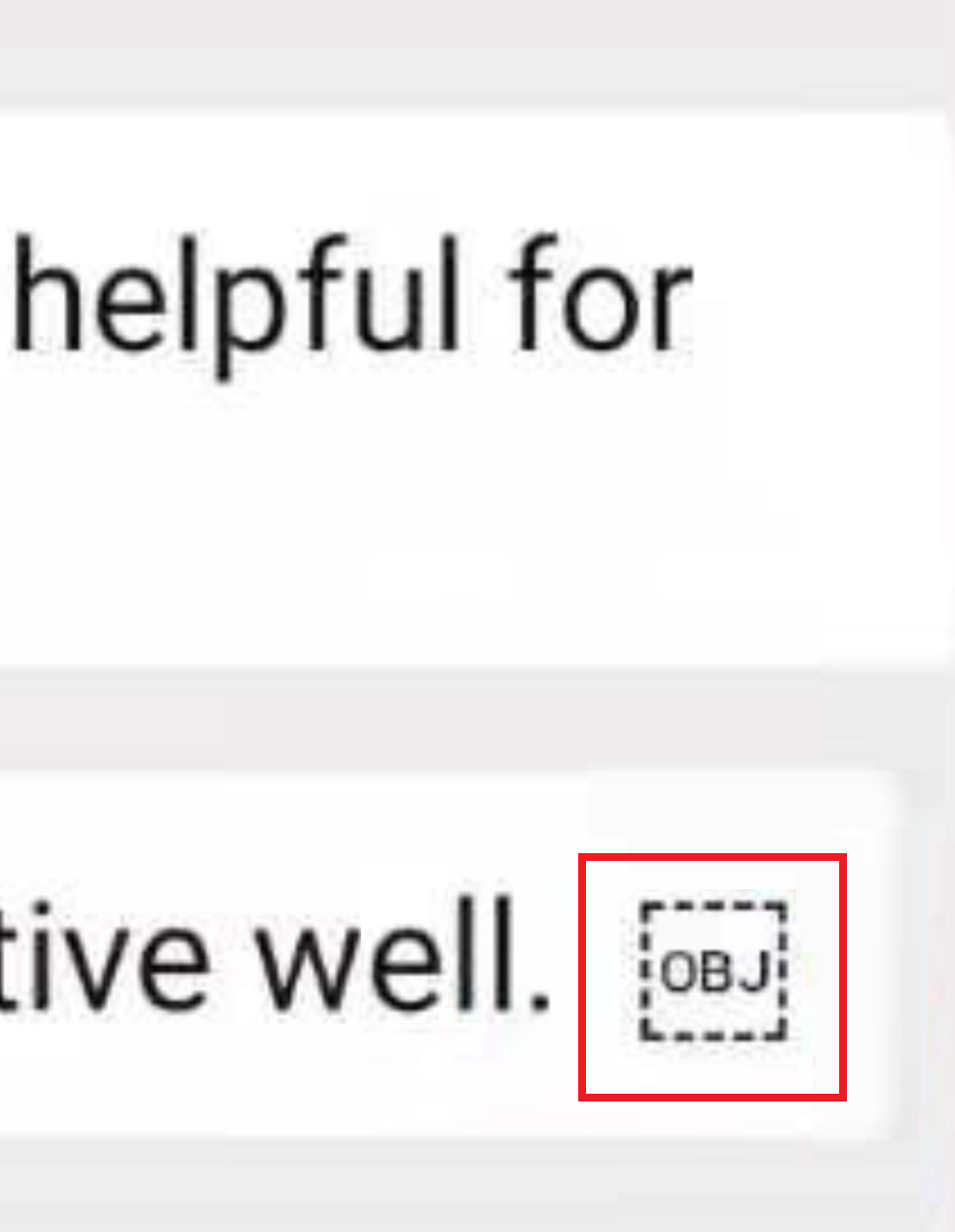
Have you ever received a text message or browsed a webpage only to encounter a strange dotted rectangle containing the letters OBJ? This odd placeholder is not a new emoji or a cryptic code. It is a replacement character that appears when your device cannot interpret a specific emoji or symbol. Understanding why this happens and how to resolve it can save you from confusion and ensure your digital conversations remain clear.
What Exactly Is the OBJ Symbol?
OBJ stands for Object Replacement Character, a special marker in the Unicode system. Unicode is the universal standard that assigns unique codes to every letter, number, and symbol, including emojis, so they can be displayed consistently across different devices and platforms. When a device encounters a character that it does not recognize, it substitutes it with the OBJ placeholder. This typically occurs with newly released emojis that have not yet been added to the device’s Unicode version or with symbols from non-standard encoding systems.
For example, if a friend sends you an emoji that was introduced in the latest Unicode update, but your phone is running an older operating system, you might see OBJ instead of the intended emoji. The same can happen when a software application does not support the full Unicode range. In essence, the OBJ symbol is a digital placeholder that signals a gap in compatibility.
Why Do You See OBJ Instead of Emojis?
Several factors can trigger the appearance of the OBJ symbol. The most common reason is outdated Unicode support. Most devices and apps use the latest Unicode version, but some lag behind, especially if the operating system has not been updated. Additionally, certain software may operate outside the Unicode standard, leading to display failures on incompatible devices. This issue is particularly noticeable with emojis, which are constantly evolving and being added to the Unicode set.
Unicode Support Not Updated or Matched
Unicode is designed to be universal, but it is not static. New emojis are released periodically, and if your device does not receive the corresponding update, it cannot render those characters. For instance, older versions of Windows and Android have been known to display OBJ for newer emojis. Even if your device is up to date, the app you are using might not be. This mismatch between the sender’s and receiver’s Unicode versions is a frequent cause of the OBJ placeholder.
Software Bugs and Glitches
If you previously saw emojis correctly and suddenly start seeing OBJ, a random software bug might be the culprit. Operating system glitches can affect how applications interpret characters, leading to temporary display issues. These bugs can be triggered by recent updates, conflicting apps, or memory corruption. A simple restart often resolves such transient problems.
Voice-to-Text Conflicts
Voice-to-text features convert spoken words into text, but they can sometimes introduce errors. When you dictate a message that includes an emoji, the speech recognition software might not correctly map the symbol, causing it to be replaced with OBJ. This is more likely if you speak quickly or unclearly, or if the app has a bug in its speech-to-text engine.
Corrupted Data Transfers
Another common cause, especially on computers, is corrupted data during file transfers. When you move data between devices or over an unstable internet connection, some information can be lost. If that missing data happens to be an emoji or special character, your system may insert the OBJ symbol as a placeholder. This is often seen in downloaded files, emails, or cloud-synced documents.
How to Fix the OBJ Emoji Problem
Fortunately, there are several effective ways to eliminate the OBJ symbol. The approach depends on the underlying cause, but these solutions cover the most common scenarios.
Refreshing Your Device
The quickest fix for a glitch or bug is to restart your device. This clears temporary memory and forces apps to reload. Here is how to do it on a smartphone:
- Open the multitasking screen and swipe away the problematic app to force-close it.
- Press and hold the Power or Side button until the power menu appears.
- Select Shut Down on Android or drag the slider on iPhone to power off.
- Wait a few minutes, then press and hold the Power button again to reboot.
For computers, simply restart the system or close and reopen the application showing the OBJ symbol.
Updating Your Operating System
Keeping your OS up to date ensures you have the latest Unicode support. On Android, go to Settings, then Software Update, and tap Download and Install. On iOS, navigate to Settings, General, then Software Update. If an update is available, download and install it. This often resolves OBJ issues caused by outdated Unicode versions.
Updating Your Applications
If only specific apps display OBJ, they may be outdated or incompatible with the latest Unicode standard. Update them via the App Store or Google Play Store. On an iPhone, open the App Store, tap your profile icon, and update individual apps. On Android, open the Play Store, tap the profile icon, select Manage apps & device, then Updates available, and update the relevant apps.
Preventive Measures to Avoid the OBJ Error
While fixing the issue is important, preventing it is even better. Here are some proactive steps you can take.
Install a Third-Party Emoji Keyboard or Library
Some devices lack a compatible emoji keyboard, which can lead to OBJ errors. Installing a third-party keyboard from a reputable developer ensures you have access to the latest emoji characters. These keyboards often sync with the default emoji library and update automatically, reducing the risk of encountering OBJ.
Speak Clearly When Using Voice-to-Text
When dictating messages, speak slowly and enunciate clearly. This helps the speech recognition software accurately convert your words and any emojis you mention, minimizing the chance of OBJ placeholders.
Which Apps and Devices Are Affected?
The OBJ symbol is most commonly seen on iPhones and Android smartphones, but computers are not immune. Social media platforms like Facebook, Twitter, Instagram, and YouTube often display OBJ when users send unsupported emojis. Messaging apps, email clients, and web browsers can also show the placeholder, especially when the internet connection is weak or data is corrupted during transmission. Even document editors and file managers can exhibit this issue.
Understanding the OBJ symbol is akin to understanding a technical puzzle. Just as sports fans analyze team dynamics in detailed match analyses like the England vs Czech Republic match analysis or Croatia vs Spain football standings, tech users need clear explanations for digital anomalies. By following the steps outlined above, you can ensure that your emojis display correctly and your digital communications remain seamless.
Source Reference (appuals.com): OBJ emoji ( ): What does it mean and how to fix it?
Frequently Asked Questions (FAQ)
What does OBJ stand for in texting?
OBJ stands for Object Replacement Character, a Unicode placeholder used when a device cannot display a specific emoji or symbol.
Why do I see OBJ instead of emojis?
You see OBJ when your device's Unicode version is outdated, the app is incompatible, there is a software bug, or data gets corrupted during transfer.
How can I fix the OBJ emoji error?
Restart your device, update your operating system, update your apps, and consider installing a third-party emoji keyboard. Also, speak clearly when using voice-to-text.